
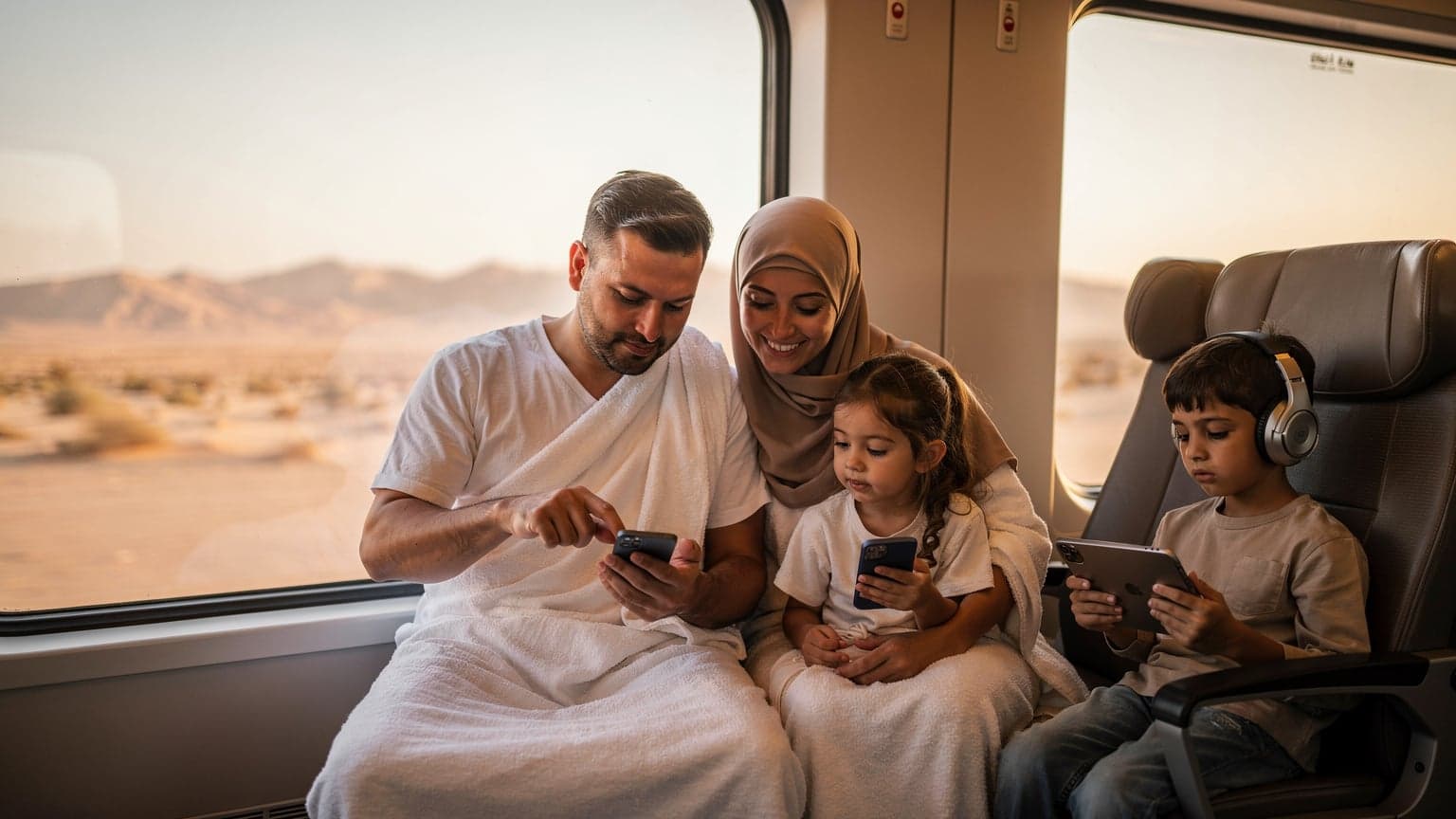
Why an eSIM is Your Best Companion for Hajj & Umrah
Embarking on the spiritual journey of Hajj or Umrah is a monumental undertaking, filled with deep reverence and personal reflection. As a seasoned travel planner, especially with kids in tow, I know that peace of mind often comes from having the practicalities sorted. And connectivity, believe me, is one of the biggest practicalities. I’ve heard countless stories, even in our parents-of-travellers Facebook group, about pilgrims struggling to call home or look up directions in the sprawling holy cities.
Traditional roaming plans are notoriously expensive, often costing an arm and a leg for even basic data usage. And who wants to spend precious pilgrimage time hunting for a local SIM card, dealing with language barriers, and figuring out registration processes in a new country? Not me, and certainly not when I’m trying to keep track of a couple of energetic kids in a crowded souq.
This is where an eSIM truly shines for the Hajj and Umrah pilgrim. It’s a digital SIM, embedded directly into your phone, meaning you can purchase a data plan for Saudi Arabia before you even leave home. Imagine landing in Jeddah, stepping off the plane, and your phone just… works. No fumbling with tiny SIM trays, no worrying about losing your home SIM, no unexpected charges. It’s seamless, secure, and frankly, a game-changer for international travel, especially for a trip of such profound importance.
The Hassle-Free Way to Stay Connected
For families, the convenience of an eSIM is unparalleled. My kids, bless their digital hearts, need their devices. Whether it's for keeping them entertained on a long bus ride between Mecca and Medina, or simply allowing them to touch base with grandparents back home via WhatsApp, reliable data is a must. An eSIM lets you manage all of this without a hitch.
Cost-Efficiency for Pilgrims
One of the biggest advantages is the cost. With an eSIM, you’re buying a local data plan at local rates, avoiding the exorbitant roaming charges that can quickly add up, particularly if you have multiple devices connected. This means more money for those delicious dates or a thoughtful souvenir, rather than an inflated phone bill. I always budget meticulously for trips, and an eSIM helps me keep those communication costs firmly in check.
Choosing the Right eSIM Data Plan for Your Family
Selecting the right data plan is less about finding the cheapest option and more about identifying what truly meets your family’s needs. For Hajj and Umrah, especially with children, your data consumption will likely be higher than you anticipate. Between sharing photos, video calls with family, navigation, and keeping the little ones entertained, those gigabytes disappear faster than a plate of kabsa!
My golden rule for family travel is always to overestimate. It's much better to have too much data than to run out in the middle of a vital prayer time or when a child is asking to stream their favorite show. Think about what your family does daily:
- Mapping & Navigation: Google Maps, Apple Maps, or local navigation apps.
- Communication: WhatsApp, FaceTime, calling home.
- Social Media: Sharing updates, photos, and videos.
- Entertainment for Kids: Streaming services like Disney+, Netflix, YouTube Kids, or online games.
- Research: Looking up prayer times, historical facts, local etiquette.
For a family with two kids (mine are 8 and 11), two adults, and a typical two-week Hajj or Umrah trip, I’d suggest a minimum of 30-50 GB shared data. This might sound like a lot, but trust me, when both kids are trying to stream Disney+ on their iPads during a quiet moment in the hotel (or while waiting for me to finish a ritual), that data disappears surprisingly fast. You don't want to be caught short, especially when you need to confirm meeting points or emergency contacts.
Saudi Arabia eSIM Options Compared
When you're looking for an eSIM for Saudi Arabia, you'll find various providers offering different packages. It's crucial to look beyond just the price per GB. Consider coverage, speed, and the duration of the plan. I always check if the plan includes 5G access, as that can make a huge difference, especially when you're trying to upload a video or download a large file in a hurry. Our eSIM speed test data can be helpful here.
| Provider | Data Plan Range | Validity (Days) | Estimated Cost (USD) | Network Coverage |
|---|---|---|---|---|
| Provider A | 5 GB - 20 GB | 7 - 15 | $15 - $40 | STC (Good) |
| Provider B | 10 GB - 50 GB | 15 - 30 | $25 - $70 | Mobily (Excellent) |
| Provider C | 3 GB - 10 GB | 7 - 30 | $10 - $30 | Zain (Fair to Good) |
| esimFlyer | 1 GB - 100 GB | 7 - 90 | $4.50 - $99 | Multiple (Best available) |
Understanding Data Rollover and Top-Ups
Many plans offer top-up options, which is a lifesaver if you miscalculated your family's data needs. I always look for providers that make top-ups easy and instant, because there’s nothing worse than running out of data when you’re miles from anywhere and need to check Google Maps for the nearest restroom (a frequent concern with kids!). Some providers also offer data rollover if you extend your trip, so keep an eye out for those flexible features too.
Keeping the Kids Connected and Content, Safely
This is a big one for any parent traveling internationally, let alone to a place as significant as Mecca or Medina. My kids' iPads are practically extensions of their limbs, and while I try to limit screen time, sometimes they're a lifesaver. An eSIM allows you to maintain a reliable connection for their devices, which is crucial for both entertainment and safety.
Before we even board the plane, I make sure their tablets are loaded with offline content. Think downloaded movies from Disney+, episodes from Netflix Kids, and educational apps that don't require Wi-Fi. But even with pre-loaded content, there are always moments when they need live access. Maybe it’s a quick video call to grandma, or a moment of downtime where they want to play a multiplayer game like Roblox with a friend back home. Reliable data from an eSIM for Saudi Arabia ensures these connections are possible.
Parental Controls and Device Management
One of my key obsessions is ensuring parental control features work flawlessly. When you're using an eSIM, the data connection is no different from a traditional SIM. This means any screen time limits, content filters, or app restrictions you've set up via Apple's Screen Time, Google Family Link, or third-party apps like Bark, will continue to function. You can even set up specific usage allowances for individual devices on your Wi-Fi hotspot if you're sharing data from your main phone.
Offline Maps and Emergency Contacts
Even with great connectivity, I always advocate for offline backups. Download maps of Mecca and Medina to your devices (Google Maps allows this) before you go. This way, if you ever find yourself in an area with patchy signal (it happens!), you can still navigate. Ensure emergency contacts, both local and international, are easily accessible on everyone’s devices, not just yours. I even write them down on a small card that goes in my wallet and the kids' backpacks, just in case.
Navigating Mecca and Medina with Confidence
The sheer scale of the holy sites and the number of pilgrims can be overwhelming, especially for first-time visitors or those with young children. Having reliable data for navigation and communication is not just a convenience, it’s a necessity for safety and peace of mind. I've learned that a good plan prevents panic.
Using apps like Google Maps or the official Hajj & Umrah apps, you can easily find your way around the Grand Mosque, the Prophet's Mosque, and other significant locations. These apps often provide real-time updates on crowd density, which can be invaluable when trying to manage a family through busy areas during peak prayer times. I’ve personally used them to find quieter routes and avoid getting separated.
Connectivity Within Holy Sites and Theme Parks
One specific concern many parents ask about is connectivity inside theme parks or large venues. While Mecca and Medina don't have traditional theme parks, the sheer scale of areas like the Grand Mosque complex can feel similar in terms of connectivity challenges. The good news is that Saudi Arabia has invested heavily in its telecommunications infrastructure, particularly in and around the holy cities. Major local carriers like STC, Mobily, and Zain offer extensive 4G and increasingly 5G coverage, even within the vast indoor areas and courtyards of the mosques.
However, during peak Hajj periods, with millions of people congregating, network congestion can occur. Your eSIM will use the best available network, but having a robust data plan helps ensure you’re prioritized. For my own family, I usually have my main phone with a high-data eSIM, and a secondary device or two (like the kids' iPads) connected via a personal hotspot. This redundancy gives me peace of mind.
Getting Around: Public Transport and Ride-Sharing
Whether you're taking the Haramain High-Speed Railway between Mecca and Medina, or using local taxis and ride-sharing apps like Uber or Careem, a constant data connection is essential. You'll need it to book rides, track your journey, and communicate with drivers. This is especially true if you’re trying to coordinate pick-ups from specific gates or hotel entrances, which can be tricky in congested areas.
"There's nothing quite like the relief of knowing your map app will load instantly when you're trying to find your gate at Jeddah airport with two tired kids and a mountain of luggage. An eSIM makes that happen." - Eleanor Vance
Activating Your eSIM, A Step-by-Step Guide
One of the beauties of an eSIM is its simplicity. You don't need a physical store or a tiny paperclip. You can activate it from the comfort of your home, before you even pack your bags, or while sipping a cup of Saudi coffee in your hotel room.
Here's a general process, though specific steps might vary slightly depending on your phone's operating system (iOS or Android) and the eSIM provider:
- Purchase Your eSIM Plan: Visit the eSIM provider's website (like esimFlyer.com for Saudi Arabia) and choose a data plan that suits your needs. For families, I always lean towards larger data packages.
- Receive Your eSIM Details: After purchase, you'll typically receive an email with a QR code or manual activation details. This is your digital SIM card.
- Scan the QR Code: On your smartphone, go to your cellular settings (for iPhone, it's Settings > Cellular > Add eSIM; for Android, it's typically Settings > Network & Internet > SIMs > Download a SIM instead). Use your phone's camera to scan the QR code.
- Follow On-Screen Prompts: Your phone will guide you through adding the cellular plan. You might be asked to label the new eSIM (e.g., "Saudi Trip" or "Work"), and choose if it's for data only or calls/texts too (most travel eSIMs are data-only).
- Configure Data Roaming: Once installed, make sure data roaming is enabled for your new eSIM line and disabled for your primary (home) SIM to avoid unexpected charges. You can keep your home SIM active for calls/texts if you wish, but ensure it's not set as your primary data line.
- Test Your Connection: Before you land, or as soon as you arrive, make a quick test. Open a browser, send a WhatsApp message, or check an app. This ensures everything is working correctly.
Activating on iPhone
Apple has made eSIM activation on iPhones incredibly straightforward. For iPhone 14 models and newer, it’s often even easier, with some providers offering direct transfers. I’ve found the process takes less than two minutes, which is faster than wrangling my kids into their shoes for an outing.
Activating on Android
Android devices also have robust eSIM support, though the menu navigation might differ slightly between Samsung, Google Pixel, and other brands. The core principle of scanning a QR code or entering details remains the same. Just ensure your device is eSIM compatible before you purchase your plan.
Managing Data and Parental Controls on the Go
Once your eSIM is active and your family is connected, the next step is managing that connectivity effectively. This means keeping an eye on data usage, and crucially, ensuring your kids aren't accidentally racking up huge bills or accessing inappropriate content.
Monitoring Data Usage
Most modern smartphones offer built-in data usage monitors in their settings. You can often see which apps are consuming the most data and set warnings or limits. I make it a habit to check this daily, especially at the start of a trip, to get a feel for our family’s consumption patterns. If I see a spike, I can quickly identify if it’s from, say, a huge file download or a forgotten streaming session.
Many eSIM providers also offer an app or a web portal where you can track your remaining data and easily purchase top-ups if needed. This real-time visibility is fantastic for avoiding that dreaded moment when your data suddenly runs out.
Implementing Parental Control Features
As mentioned earlier, your existing parental control settings should transfer seamlessly. However, travel introduces new variables. Here's how I approach it:
- Wi-Fi Hotspot Controls: If you're sharing your eSIM data via a personal hotspot, most phones allow you to see connected devices and even limit their data usage. This is a brilliant way to ensure the kids don’t burn through your entire allowance watching YouTube.
- Screen Time Schedules: Reinforce your usual screen time schedules, even on vacation. Use your device's built-in features to set downtime or app limits. It's a pilgrimage, after all, not just a Netflix binge.
- Content Filtering: Double-check that any content filters you use (either built into the OS or via third-party apps) are active. While Saudi Arabia has its own internet filtering, it's always best to have your own layers of protection, especially for younger children.
- Device Passcodes: Ensure all devices, especially those with eSIMs, have strong passcodes. This is basic security but even more critical when traveling.
What About Connectivity on Buses and in Hotels?
The journey between Mecca and Medina, often by bus or the high-speed rail, can take several hours. This is prime time for kids to get restless, and for adults to want to check in with family or catch up on news. While many modern buses and the Haramain railway offer onboard Wi-Fi, it’s rarely reliable enough for a family’s needs, let alone streaming Disney+ for two kids. It's often slow, spotty, and sometimes requires a separate login process.
My advice? Don’t rely on it. Your eSIM data will be far more consistent and faster. This ensures the kids can watch their pre-downloaded shows, or if there’s a strong signal, even stream something new without interruption. For me, the peace of mind of a reliable connection outweighs the potential cost savings of patchy free Wi-Fi any day.
Hotel Wi-Fi: A Mixed Bag
Hotel Wi-Fi in Saudi Arabia, especially in larger pilgrimage-focused hotels, can range from excellent to frustratingly slow. Again, I treat it as a bonus, not a primary source of connectivity. While it's great for uploading large photo albums or making lengthy video calls when you’re settled in, an eSIM provides the consistent, personal connection you need for everyday use, especially when you're out and about.
For instance, if my children are trying to play a Switch Online game, public Wi-Fi can introduce latency issues that disrupt their game. A dedicated eSIM connection, on the other hand, provides a stable, low-latency link, keeping them happily engaged. (Yes, sometimes a happy child means a happy parent, even on a pilgrimage!)
Local SIMs vs. eSIMs for Pilgrims
When planning connectivity for Hajj or Umrah, you essentially have three options: international roaming from your home provider, buying a local physical SIM card in Saudi Arabia, or using an eSIM. I’ve tried them all in various countries, and for a family trip of this nature, an eSIM is the clear winner.
| Feature | International Roaming | Local Physical SIM | eSIM (WorldESIM) |
|---|---|---|---|
| Cost | Very High | Moderate | Low to Moderate |
| Convenience | High (but costly) | Low (needs purchase/registration upon arrival) | Very High (pre-purchase, instant activation) |
| Activation Time | Instant (already active) | Hours to Days (depends on queue/registration) | Minutes (scan QR, activate) |
| Physicality | None (uses home SIM) | Requires physical card, SIM tray tool | Digital, no physical card needed |
| Multi-Country Use | Often included (but very costly) | No (country-specific) | Some plans cover multiple countries |
| Keeping Home Number | Yes | Yes (if dual SIM phone) | Yes (if dual SIM phone) |
Why Roaming is a No-Go
I learned my lesson with roaming years ago. A single video call from my son to his grandparents ended up costing me almost $50. Never again. Roaming is fine for an emergency text, but for any real data usage, it’s a budget killer. Plus, trying to figure out usage limits and charges while you’re trying to focus on your spiritual duties is just an unnecessary stressor.
The Challenges of Local Physical SIMs
While local SIMs are cheaper than roaming, they come with their own set of hurdles. You have to find a vendor at the airport or in the city, often navigate queues, show your passport for registration (which can be a slow process in Saudi Arabia), and then deal with the fiddly process of swapping tiny cards. If you have an older phone that isn’t eSIM compatible, this is your best bet, but it's far from ideal for a family on a pilgrimage.
My best travel tip, whether you’re planning a trip to Saudi Arabia or even backpacking South America, is to always secure your connectivity before you land. It saves time, money, and a lot of headaches.
Troubleshooting Common eSIM Issues
Even with the best planning, sometimes technology throws a curveball. Most eSIM issues are minor and easily fixed. Here are a few common hiccups and how to resolve them:
No Service After Activation?
This is the most common issue. First, ensure you have enabled data roaming for your eSIM line in your phone settings. Even though it's a local plan, your phone still treats it as 'roaming' from your home network's perspective. Second, check that the eSIM is set as your primary line for cellular data. Sometimes, if you have multiple SIMs, your phone defaults to your home SIM.
If those don't work, try these steps:
- Restart Your Phone: The oldest trick in the book, but often effective. A fresh reboot can sometimes resolve network connection issues.
- Check Network Selection: Go to your phone's cellular settings and look for 'Network Selection'. Try switching from 'Automatic' to 'Manual' and select one of the local Saudi Arabian carriers (STC, Mobily, Zain).
- Update APN Settings: In rare cases, the Access Point Name (APN) settings might need to be manually updated. Your eSIM provider's support page will have the correct APN details if this is necessary.
- Contact Support: If all else fails, reach out to your eSIM provider's customer support. They can often diagnose specific issues related to your plan or device.
Slow Data Speeds?
If you're getting service but it's frustratingly slow, consider these:
- Network Congestion: As I mentioned, during peak times and in very crowded areas, even strong networks can slow down. Try moving to a less congested spot if possible.
- Data Cap Reached: Check your data usage. Have you used up your high-speed data allowance and are now on a throttled speed? A quick top-up can fix this.
- Phone Settings: Ensure your phone isn't in a low-data mode or power-saving mode that might be limiting network performance.
Final Thoughts on a Connected Pilgrimage
Hajj and Umrah are journeys of profound spiritual significance. While connectivity might seem like a minor detail, it plays a huge role in the practicalities and emotional well-being of pilgrims, especially those traveling as a family. Knowing you can easily reach loved ones, navigate busy streets, and even keep the kids entertained during quiet moments allows you to focus more fully on the true purpose of your pilgrimage.
An eSIM removes a layer of stress, offering a reliable, cost-effective, and incredibly convenient way to stay connected from the moment you land in Saudi Arabia until you depart. It's about empowering you to have a seamless experience, where technology serves as a bridge, not a barrier, to your spiritual journey and family connections. So, as you plan for Hajj or Umrah 2026, make sure a robust eSIM plan is at the top of your list. It's one less thing to worry about, and that, for a busy parent, is priceless.