

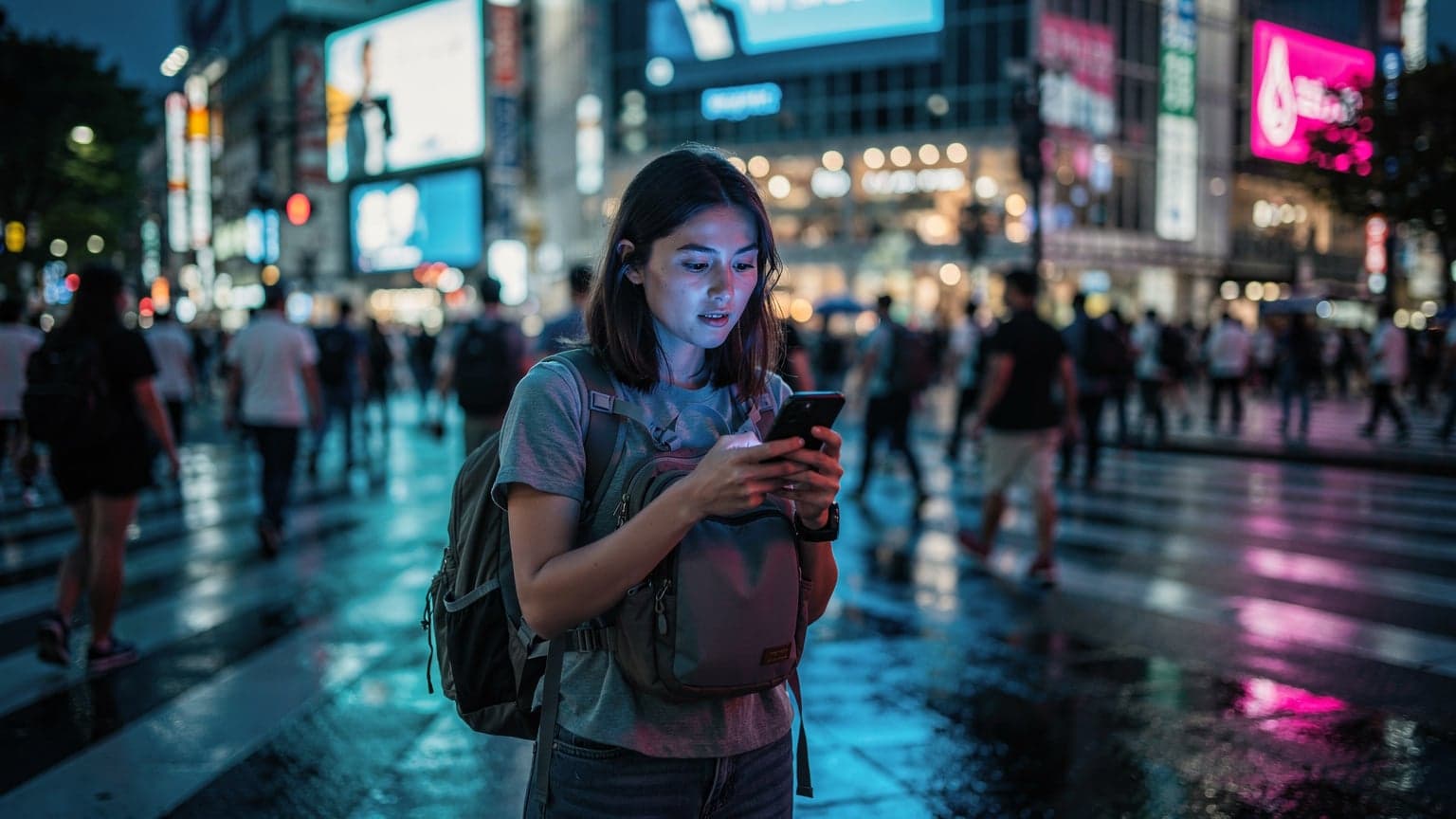
The Real Cost of Global Connectivity: My 45-Day, €280 Data Bill
Let's cut to the chase, because every euro counts when you're funding a multi-month grand tour. My last trip, a 45-day whirlwind through Western Europe, Southeast Asia, and a quick hop to Japan, cost me a grand total of €280 for data. That's for 90 GB, averaging out to about 2 GB per day, which is more than enough for navigation, social media, a few video calls, and the occasional stream. Break that down, and it's less than €6.25 a day. Now, compare that to the local SIM shuffle.
Think about it: arriving in Paris, grabbing a local Free Mobile SIM for €19.99 for 20 GB. Then flying to Tokyo, navigating Narita Airport to find a Docomo or SoftBank vending machine, shelling out ¥3,000 for a 10 GB tourist SIM. Then a few weeks later, landing in Bangkok, trying to find a true unlimited plan from AIS or TrueMove H for under ฿500. Each stop means wasted time, conversion rate anxiety, and the very real risk of getting sold a dud or an overpriced plan. My €280 for 90 GB, across all those borders, felt like a steal. It was less than I would have spent on local SIMs, and crucially, it was zero hassle.
The Hidden Costs of Local SIMs: Beyond the Sticker Price
It's not just the purchase price. Local SIMs come with a baggage claim of hidden costs. First, the time. Every minute you spend fumbling with SIM ejector tools, waiting in line at a noisy airport kiosk, or trying to understand a local salesperson's broken English, is a minute you're not exploring. That's time you could be finding the cheapest falafel stand near Canal Saint-Martin or figuring out the best route on the Yamanote line.
- Lost Exploration Time: An hour at the airport buying a SIM is an hour less at the Louvre.
- Currency Conversion Fees: Every transaction adds a little bite from your bank.
- Activation Headaches: Sometimes local SIMs require passport registration or specific phone settings, especially in countries like Vietnam or Egypt.
- Data Depletion Anxiety: Constantly checking your balance, fearing you'll run out before you can re-up.
- Plastic Waste: All those discarded SIM cards add up, not great for the planet, or your wallet.
With a multi-country eSIM like esimFlyer's WorldESIM, you activate it once, and you're good. No lines, no language barriers, no tiny plastic cards. Just power on and connect. It's the ultimate hack for the budget-conscious, efficiency-obsessed traveler.
Why a Single eSIM Beats Local SIMs, Every Time, on a Grand Tour
For a grand tour, jumping from continent to continent, a single multi-country eSIM isn't just convenient, it's financially savvy. I've done the math, and the comparison isn't even close.
| Feature | Multi-Country eSIM (esimFlyer WorldESIM) | Multiple Local Physical SIMs |
|---|---|---|
| Purchase & Activation | Online, before you leave, instant activation on arrival | At each airport or store, often requires passport, language barrier |
| Cost Efficiency (45-day, 90GB plan) | Approx. €280 total, no hidden fees | Easily €350-€450+ (individual plan costs + airport markups + conversion fees) |
| Border Crossings | Seamless, automatic network switch | New SIM purchase and installation required at each new country |
| Number Portability | Keep your primary number active for calls/texts | Lose access to primary number unless you have a dual-SIM phone |
| Data Tracking | Centralized monitoring via esimFlyer app | Separate apps/SMS codes for each local provider, confusing |
| Environmental Impact | Zero plastic waste | Accumulation of plastic SIM cards |
The argument for a multi-country eSIM is particularly strong when you're hitting diverse regions. Take my recent itinerary: Paris, Rome, Barcelona (hello, SouthESIM territory!), then a jump to Bangkok, Kuala Lumpur, and finally Tokyo. That's three distinct geographical regions, each with its own local carriers and pricing structures. Imagine trying to manage five or six different local SIMs, keeping track of their expiry dates and data balances. It's a logistical nightmare you don't need on your trip of a lifetime.
The Peace of Mind Factor: Always Connected, Always in Control
Beyond the euros, there's the invaluable peace of mind. Knowing you'll have data the moment your plane touches down in Charles de Gaulle, or when you step off the Narita Express at Tokyo Station, is priceless. No frantic searches for airport WiFi, no desperate attempts to ask strangers for directions. You're connected, you're safe, and you're in control.
This is especially critical for those of us who rely on our phones for everything: navigation, accommodation bookings (hostel check-ins often require a QR code or online form), communicating with family, and even managing banking or travel alerts. For content creators, or anyone wanting to share their journey in real-time, the thought of being without data is a genuine nightmare. As someone who's livestreamed from chaotic festivals, believe me, 'No Signal' is a content creator's worst enemy.

The Border-Crossing Playbook: eSIM Advantage for the Nimble Traveller
Border crossings are where a multi-country eSIM truly shines, especially for the budget backpacker who might be taking overland buses or trains. This isn't about flying business class and having airport lounges. This is about the night bus from Chiang Mai to Luang Prabang, or the train from Berlin to Warsaw, or even the ferry from Helsinki to Tallinn.
Consider this: you're on a 14-hour overnight bus from Ho Chi Minh City to Phnom Penh. You cross the Moc Bai border post at 3 AM. Everyone gets off, goes through immigration, and then, if you're planning on a local SIM, you're trying to find a vendor open at that ungodly hour, likely being charged a premium for the convenience. With an eSIM, as soon as your phone registers a Cambodian network, you're online. No drama, no delays, no getting fleeced. Your data plan simply switches from the Vietnamese network to the Cambodian one, all in the background.
Seamless Transitions: No More SIM Card Scramble
The beauty of the eSIM is its digital nature. There's no physical card to lose, no tiny ejector tool to misplace, and no need to store a dozen different plastic squares. This is particularly useful for countries with strict SIM registration laws. In some nations, you need to register your SIM with your passport and sometimes even get a photo taken. This can be a lengthy process, often taking 30 minutes to an hour, and can be a source of frustration if you don't speak the local language. An eSIM bypasses most of these headaches because the digital profile is often provisioned remotely without the need for an in-person registration.
"I've been on buses where half the passengers are frantically trying to swap SIMs at a border, only to find the local shop closed or the price outrageous. My phone just quietly connects. That's worth gold, or at least a good night's sleep."
I've seen fellow travelers get stuck at the Thai-Lao border trying to get a Lao Telecom SIM, only to realize the prices at the border market were 2x what they'd be in Vientiane. My esimFlyer simply switched from AIS (Thailand) to Unitel (Laos) as soon as we were across. It’s a tactical advantage, pure and simple.
Data Consumption Demystified: How Much Do You Really Need?
This is where the rubber meets the road. "How much data?" is the perennial question. My rule of thumb for a budget backpacker is 1-2 GB per day. But let's break that down with some real numbers and show the math.
For a 45-day trip, 2 GB/day * 45 days = 90 GB. This is the package I bought, and it served me well. Here's a rough breakdown of what 1 GB of data looks like:
- Navigation (Google Maps, Citymapper): ~5 MB per hour of active use. You could navigate for 200 hours on 1 GB.
- Social Media (Instagram, TikTok, Facebook): ~100-200 MB per hour, depending on video consumption.
- Messaging (WhatsApp, Messenger): ~1-5 MB per hour for text, more for photos/videos.
- Email & Browsing: ~10-20 MB per hour.
- Video Streaming (SD quality): ~700 MB - 1 GB per hour. This is your data killer, use WiFi for heavy streaming.
- Video Calls (WhatsApp, FaceTime): ~200-500 MB per hour.
The key is smart usage. Don't stream Netflix on mobile data unless absolutely necessary. Download maps offline. Use hotel/hostel WiFi for uploading photos or video calls. But for everyday navigation, communication, and quick checks, 1.5-2 GB a day gives you plenty of buffer.
Calculating Your Data Needs: A Personal Assessment
Before you commit to a plan, do a quick self-assessment. What are your non-negotiables? If you're a heavy Instagram user or need to upload high-res photos daily, lean towards the higher end. If you're mostly using data for maps and WhatsApp, you can get away with less.
- Track Current Usage: Check your phone's data usage settings for the past month. This gives you a baseline for your typical consumption.
- Estimate Travel Day Usage: Consider how your usage changes when traveling. You'll use more for navigation and research, less for home streaming.
- Factor in Offline Tools: Plan to download offline maps (Google Maps, Maps.me), entertainment (Netflix, Spotify), and guides.
- Add a Buffer: Always add an extra 20-30% to your estimate. It's better to have a little extra than to run out in a pinch.
For example, if you typically use 30 GB at home but plan to download maps offline and use hostel WiFi for streaming, you might estimate 1.5 GB/day * 30 days = 45 GB for a month. A 60 GB WorldESIM plan would give you ample room.
Picking Your Multi-Country eSIM: The esimFlyer WorldESIM Advantage
When you're comparing multi-country eSIMs, it's not just about the cheapest price per GB. You need to consider coverage, reliability, and ease of use. esimFlyer's WorldESIM is designed for exactly this kind of globetrotting, covering over 150 countries. That's Paris, Tokyo, Bangkok, Rome, Berlin, you name it.
| Feature | esimFlyer WorldESIM (Global Plan) | Competitor A (Regional Plan) | Competitor B (Limited Global) |
|---|---|---|---|
| Coverage Countries | 150+ countries, truly global | ~30 countries (e.g., Europe only) | ~80 countries, often specific regions excluded |
| Data Packages | Flexible: 1GB to 200GB, 7 to 180 days validity | Limited options, often smaller bundles | Often fixed bundles, less flexibility |
| Price per GB (approx.) | Starts around €3.5/GB for larger packages | Can be cheaper for regional, but not global | Varies widely, often higher for comparable global coverage |
| Top-Up Process | Easy in-app top-up, instant | Website or app, sometimes delayed | Can be cumbersome, limited payment options |
| Customer Support | 24/7 multi-language support (chat, email) | Limited hours, often single language | Email only, slow response times |
| Network Roaming | Partners with top-tier local carriers (e.g., Orange in France, Docomo in Japan) | Often uses secondary networks for cost savings | Mixed network quality, can be inconsistent |
The key here is the network. esimFlyer partners with major local carriers. This means you're getting the same fast, reliable connection as a local, not some second-tier roaming agreement. In Paris, that's Orange or SFR. In Tokyo, it's Docomo or SoftBank. In Thailand, it's AIS. This is crucial for avoiding dreaded network congestion, especially if you're trying to livestream your journey or just navigate a crowded stadium. (Speaking of crowded stadiums, if you're hitting the Tour de France in 2026, an eSIM is non-negotiable for real-time updates and family coordination.)
What to Look For in a Global eSIM Provider
Don't just jump at the cheapest option. A few critical factors distinguish the good from the bad:
- Extensive Country Coverage: Make sure it covers ALL your planned destinations, and perhaps a few bordering countries you might spontaneously visit.
- Flexible Data Packages: Look for options with varying data amounts and validity periods. You don't want to overpay for data you won't use, or run out too quickly.
- Reputable Network Partners: Does the eSIM provider use tier-1 carriers in each country, or cheaper, less reliable networks? This impacts speed and reliability.
- Easy Top-Up Process: You need to be able to add more data quickly and easily through an app, not a clunky website or a support call.
- 24/7 Customer Support: If you run into an issue at 2 AM in a new time zone, you need help, not an automated email response that arrives 12 hours later.

Setting Up Your WorldESIM: A Step-by-Step Guide to Seamless Activation
This is the easy part. Seriously, it takes about two minutes. I've done it more times than I can count, often while waiting for my flight to board. No tech wizardry required, just a few taps on your phone.
You'll need an eSIM-compatible device (most newer iPhones and Androids are) and a stable internet connection for the initial setup. I always do this at home, or at the airport lounge before I even take off. That way, when you land, you're ready to roll.
Your eSIM Activation Checklist
- Purchase Your esimFlyer WorldESIM Plan: Go to the esimFlyer Global eSIM page on their website or app. Select the data amount and duration that fits your grand tour itinerary. Remember my 90 GB for 45 days.
- Receive Your QR Code/Manual Details: After purchase, esimFlyer will instantly send you an email with a QR code or manual installation details. If you're buying on your phone, you might just get a direct installation prompt.
- Access Phone Settings: On your iPhone (iOS 12.1 or later): Go to Settings > Cellular > Add Cellular Plan. On Android (specifics vary by manufacturer, but generally): Settings > Network & Internet > SIMs > Add eSIM.
- Scan QR Code (or Enter Manually): Use your phone's camera to scan the QR code provided by esimFlyer. If scanning isn't an option (e.g., if you're installing on the same phone you're using to view the QR code), you can manually enter the SM-DP+ Address and Activation Code.
- Label Your eSIM: Once installed, your phone will prompt you to label the new eSIM. I usually label it "esimFlyer Global" or "Travel Data" to easily distinguish it from my primary home SIM.
- Set as Primary for Data Roaming: In your phone's Cellular/SIM settings, ensure your esimFlyer eSIM is selected for mobile data. Crucially, turn on Data Roaming for this eSIM. Don't worry, with an eSIM like esimFlyer, this is how it works, it won't incur extra charges on your home plan.
- Keep Your Primary SIM Active (Optional): If you have a dual-SIM phone, you can keep your primary home SIM active for calls/texts, but set the esimFlyer eSIM as the data default. This way, you can receive verification codes or calls on your home number without using its expensive roaming data.
That's it. You're set. No more fumbling with tiny trays on a bumpy bus or trying to find a paperclip to pop out your SIM. It's truly revolutionary for the multi-country traveler.
The Local SIM Card Fallback: When to Consider It, and What to Watch For
Even with my love for eSIMs, I'm a realist. There are rare situations where a local physical SIM might be a better, or at least a necessary, option. It's crucial to know these edge cases, especially if you're exploring truly off-the-beaten-path destinations not covered by your multi-country eSIM.
For fairness, the cheapest local SIM alternative is usually a prepaid plan from a major carrier. In France, that might be a 'Free Mobile' SIM from a vending machine, or in Japan, a 'Japan Travel SIM' from a vending machine at Bic Camera or Yodobashi Camera. These often offer decent data for 7-30 days at a competitive price, but they are country-specific and require the physical swap.
Scenarios for Local SIM Consideration
- Extended Stay in a Single Country: If you're spending 2+ months in one country (e.g., teaching English in Vietnam, or a long work-away stint in Portugal), a local long-term contract might offer better value for truly unlimited data or specific local benefits.
- Countries Not Covered by eSIM: Some extremely remote or politically sensitive regions might not be included in global eSIM plans. Always check esimFlyer's country list before you go.
- Heavy Local Call/SMS Needs: If your trip involves frequent local calls or SMS, and your eSIM plan doesn't include a local number or sufficient talk/text, a local SIM might be necessary. This is rare for backpackers, as most communication is data-based (WhatsApp, Messenger).
- Emergency Backup: Though rare, having a cheap, local physical SIM as a backup in case of phone issues or eSIM complications (which I've never personally experienced with esimFlyer) can provide extra peace of mind.
Always do your research on the ground. Ask locals, check online forums (like Reddit's r/travel or r/solotravel), and compare prices. Don't just grab the first SIM you see at the airport. Those are almost always marked up significantly. If you need a local SIM in Bangkok for your 2026 trip, for instance, head to a 7-Eleven or a TrueMove H shop outside the airport for better deals.

Staying Connected on a Budget: Pro Tips for Data Conservation
Even with a generous eSIM plan, smart data usage can extend your plan's life and save you from unexpected top-ups. I've been doing this for years, and it's all about being strategic.
The Wise Traveller's Data Hacks
- Leverage Hostel & Café WiFi: Most hostels, guesthouses, and cafes offer free WiFi. Use these opportunities for heavy data tasks like uploading photos, video calls home, or downloading shows. Always use a VPN on public WiFi for security.
- Download Offline Maps: Before you leave your accommodation, download the map areas for your daily exploration on Google Maps or Maps.me. This saves huge amounts of data when navigating.
- Pre-Download Entertainment: Download movies, TV shows, podcasts, and music on Netflix, Spotify, or YouTube Premium while on WiFi.
- Restrict Background App Refresh: Go into your phone settings and turn off background app refresh for data-hungry apps like social media, news, and cloud services.
- Disable Auto-Play Videos: Most social media apps have a setting to prevent videos from auto-playing. Turn this off to save data.
- Lower Video Streaming Quality: If you must stream on data, switch the quality to standard definition (SD) instead of high definition (HD).
- Use Data Saver Modes: Many browsers (Chrome, Safari) and apps have built-in data saver modes that compress data. Enable them.
- Monitor Your Usage: Regularly check your data usage through the esimFlyer app or your phone's settings. This helps you track consumption and adjust.

Your Grand Tour Connectivity Checklist: Before You Fly
Preparation is key, especially for a multi-country adventure. Before you even pack your first pair of socks, make sure your connectivity strategy is locked down. This checklist ensures you won't be caught off guard.
- Verify eSIM Compatibility: Double-check that your phone supports eSIMs. Most iPhones released since 2018 (XR, XS, 11, 12, 13, 14, 15 series) and many newer Android flagships (Samsung Galaxy S20 series and newer, Google Pixel 3 and newer) are compatible.
- Purchase Your esimFlyer WorldESIM Plan: Choose a plan with enough data and validity for your entire trip. Remember, you can always top up, but starting with a solid base saves stress.
- Install eSIM While Connected to WiFi: Install the eSIM profile on your device before you leave home or while you have reliable WiFi. Do not wait until you land in a new country with no internet.
- Label Your eSIM Clearly: Give your esimFlyer eSIM a distinct name in your phone's settings (e.g., "Travel Data," "WorldESIM") to avoid confusion with your home SIM.
- Test eSIM Activation: If possible, test the eSIM in a supported country (even if it's just a quick trip across the border for an hour, for example, if you live near Canada and bought a North American eSIM). This confirms it's active and ready.
- Understand Data Roaming Settings: Ensure data roaming is enabled for your esimFlyer eSIM, and disabled for your home SIM (unless you want to use it for calls/texts, but keep data off).
- Download Offline Resources: Get your maps, translation apps, travel guides, and entertainment downloaded onto your device.
- Inform Your Bank & Contacts: Let your bank know your travel plans to avoid card freezes. Inform key contacts that you'll be using a new data plan but keeping your home number for calls.
- Charge Your Power Bank: Crucial for keeping your phone alive when you're relying on it for data, navigation, and everything else.
Doing this legwork upfront will save you hours of frustration and potentially dozens of euros while you're on the road. It's the difference between a smooth transition and a frantic scramble.

Final Thoughts on the Globetrotter eSIM
Look, I've crisscrossed continents on a shoestring budget. Every euro, every minute, counts. The old days of buying a new local SIM in every country are over. It's inefficient, often more expensive, and a massive time drain. For a grand tour in 2026, hitting iconic cities like Paris and Tokyo, a single multi-country eSIM is the smartest, most budget-friendly move you can make.
My €280 for 90 GB over 45 days is a benchmark. It shows you can stay perfectly connected, without compromise, for about €6.25 a day. That's less than a decent coffee and croissant in Paris, and far less than the stress of dealing with broken English at an airport kiosk. Embrace the eSIM, streamline your travel, and put your money towards experiences, not connectivity headaches. It's the globetrotter's playbook, plain and simple.
Frequently Asked Questions
How much data will I actually need for a multi-country trip hitting places like Paris and Tokyo?
For a typical budget backpacker using data for navigation, social media, messaging, and occasional video calls, I recommend planning for 1.5 to 2 GB per day. So, for a 45-day trip, a 60-90 GB plan should cover you comfortably, especially if you leverage free WiFi for heavy tasks.
Is a multi-country eSIM really cheaper than buying local SIMs in each country?
In most cases, yes, for a grand tour. While a single local SIM might appear cheaper for a very short stay in one country, the cumulative cost of multiple local SIMs, their activation fees, exchange rate markups, and wasted travel time quickly makes a multi-country eSIM like esimFlyer's WorldESIM the more economical choice. My 45-day trip, costing €280 for data, proves this efficiency.
What happens when I cross a border with a multi-country eSIM?
It's seamless. As soon as your device registers with a supported network in the new country, your eSIM automatically switches to that local carrier's network. There's no action required from your side, no physical SIM swap, and no interruption to your data connection, making border crossings hassle-free.
Can I keep my regular phone number active while using a esimFlyer multi-country eSIM?
Yes, if your phone supports dual SIMs (most modern smartphones do), you can keep your primary physical SIM active for calls and texts while using the esimFlyer eSIM solely for mobile data. Just ensure you set the esimFlyer eSIM as your default for data and disable data roaming for your home SIM.
Are there any countries where a multi-country eSIM might not be the best option?
While multi-country eSIMs offer extensive coverage, very remote regions or countries with specific government restrictions on foreign SIMs might not be covered. Also, if you plan an extremely long stay (2+ months) in a single country, a local long-term contract might offer better value for truly unlimited data or extensive local call/SMS needs.
How do I top up my esimFlyer WorldESIM if I run out of data?
Topping up your esimFlyer WorldESIM is straightforward and quick. You can easily purchase additional data bundles directly through the esimFlyer app or website. The top-up is usually instant, so you'll be back online in minutes, no matter where you are.